



Microsoft Teams without the hype.
Microsoft Teams is Microsoft’s collaborative powerhouse. Most people know it as video calls and chat. Some use it for basic collaboration or quick messages. That’s not wrong. Not at all. It’s just, well, incomplete.
Teams can tap into the entire Microsoft 365 suite and Dynamics 365, which quietly turns it into something much bigger. When it’s used intentionally, Teams becomes the place where your workday actually lives instead of just another app you open for meetings.
Quick Navigation
What Microsoft Teams actually is
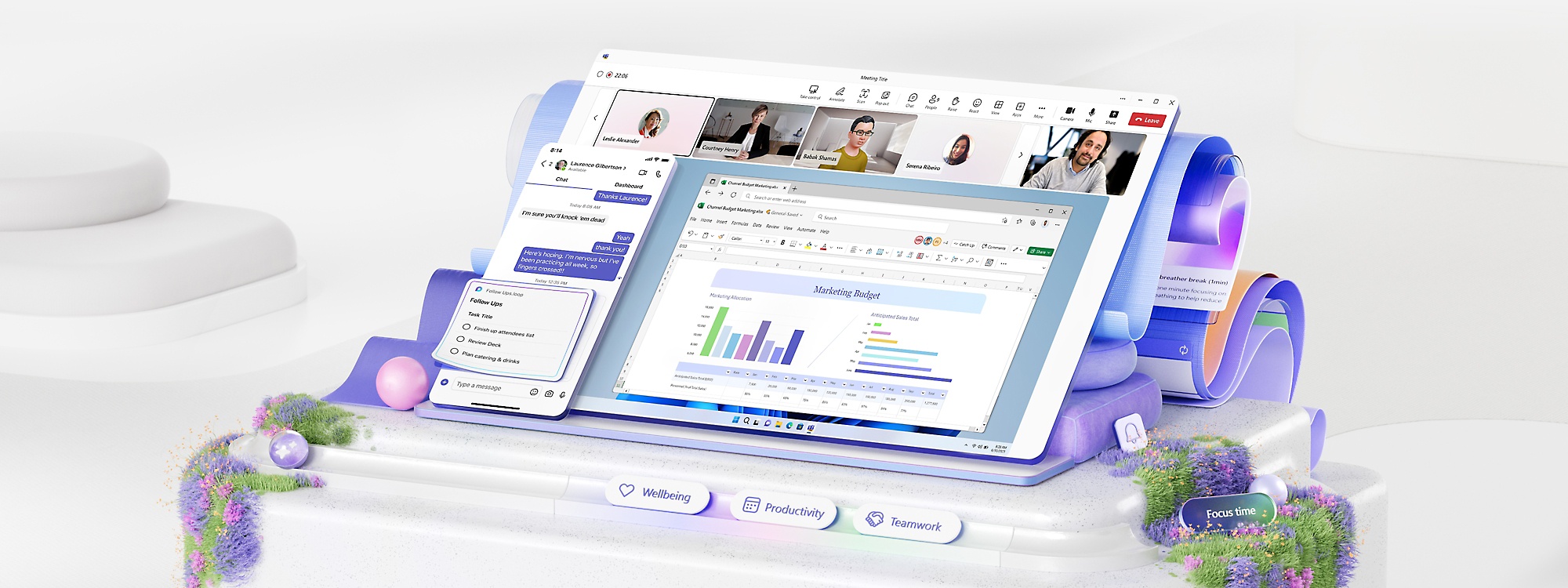
At a surface level, Teams handles video calls, text-based chat, and collaboration. That’s how most people are introduced to it.
Under the hood, Teams is designed to be a central workspace that pulls communication, files, tasks, and business systems together. It connects natively to SharePoint, OneDrive, Outlook, Microsoft Lists, and Dynamics 365.
That means conversations are no longer separate from the work. The chat, the files, the tasks, and the context all live in the same place.

How Teams shows up in a normal workday
I’ve used Zoom. I’ve used Google Meet. I’ve used Slack. They all work fine in their respective ecosystems.
Because my business runs on Microsoft 365, Teams ends up being the app that ties everything together.
In one place, I can answer phone calls, respond to text messages, chat with clients or collaborators, and jump into video meetings. At the same time, I can access Dynamics leads and opportunities, open my Nexus customer portal, update project systems, and pull files from SharePoint or OneDrive.
The practical result is simple. I’m not juggling browser tabs or bouncing between apps all day. I open Teams and I’m effectively at work.

Why the modular design actually matters
Teams can feel overwhelming at first glance. That reaction is completely fair.
What makes Teams powerful is that you don’t have to use everything. It’s modular by design. You can pause and ask a simple question: what do we actually need?
Some teams stop at chat and meetings. Others layer in shared files, task tracking, approvals, CRM collaboration, or custom apps. Both approaches are valid.
The important part is that everything grows in one place instead of being stitched together across multiple platforms later.

Why stack alignment makes life easier
If you’re deep in another ecosystem and it works well for you, stick with it.
But if your organization is committing to Microsoft 365, fragmenting your tools works against you. Running meetings in one platform, chat in another, files somewhere else, and tasks in yet another place adds friction that compounds over time.
Teams works best when it’s treated as part of the stack, not an add-on. That alignment reduces confusion, shortens onboarding, and makes collaboration feel natural instead of forced.

Licensing and cost, without overthinking it
From a cost standpoint, this is usually simpler than people expect.
If you’re already paying for Microsoft 365 and still need a meetings or collaboration platform, adding Teams is often only a few dollars per user. Compared to running a separate Zoom, Slack, or VoIP stack, that adds up quickly.
If Dynamics 365 is part of your future, Teams integrates natively. Leads, opportunities, conversations, and even phone calls can live in the same environment instead of being duct-taped together.

Cognitive overhead, EBITDA, and long term value
This is where my perspective shifts from tools to business.
I think about systems in terms of cognitive overhead and value. The more fragmented your stack is, the more mental energy your team burns just trying to keep things straight.
When systems are simpler and better connected, work moves faster with fewer mistakes. That reduces labor waste, improves consistency, and increases confidence in the business.
Two companies can make the same profit on paper. The one with cleaner systems, lower overhead, and less dependence on tribal knowledge is almost always the more valuable company.

The point of Teams is not features
Microsoft Teams is not about having the most buttons or integrations. It’s about reducing friction in how people actually work.
If every day you’re handling messages, meetings, files, tasks, and calls, doing that in one place matters more than most people realize.
For me, Teams is the one app I open to start the day. Everything else flows from there.
If you’re unsure, the best way to understand it is to use it intentionally for a week. And if you want to talk through what that setup could look like for your team, I’m always happy to walk through it together.
Better alignment makes work feel lighter.